
A 3D modeling tool that doesn't watch your students
Free. No data collection. No cloud. Just a real 3D modeling application your students download and use.
Requires Java 17 or later. Desktop application with embedded Chromium (JCEF) for 3D rendering.
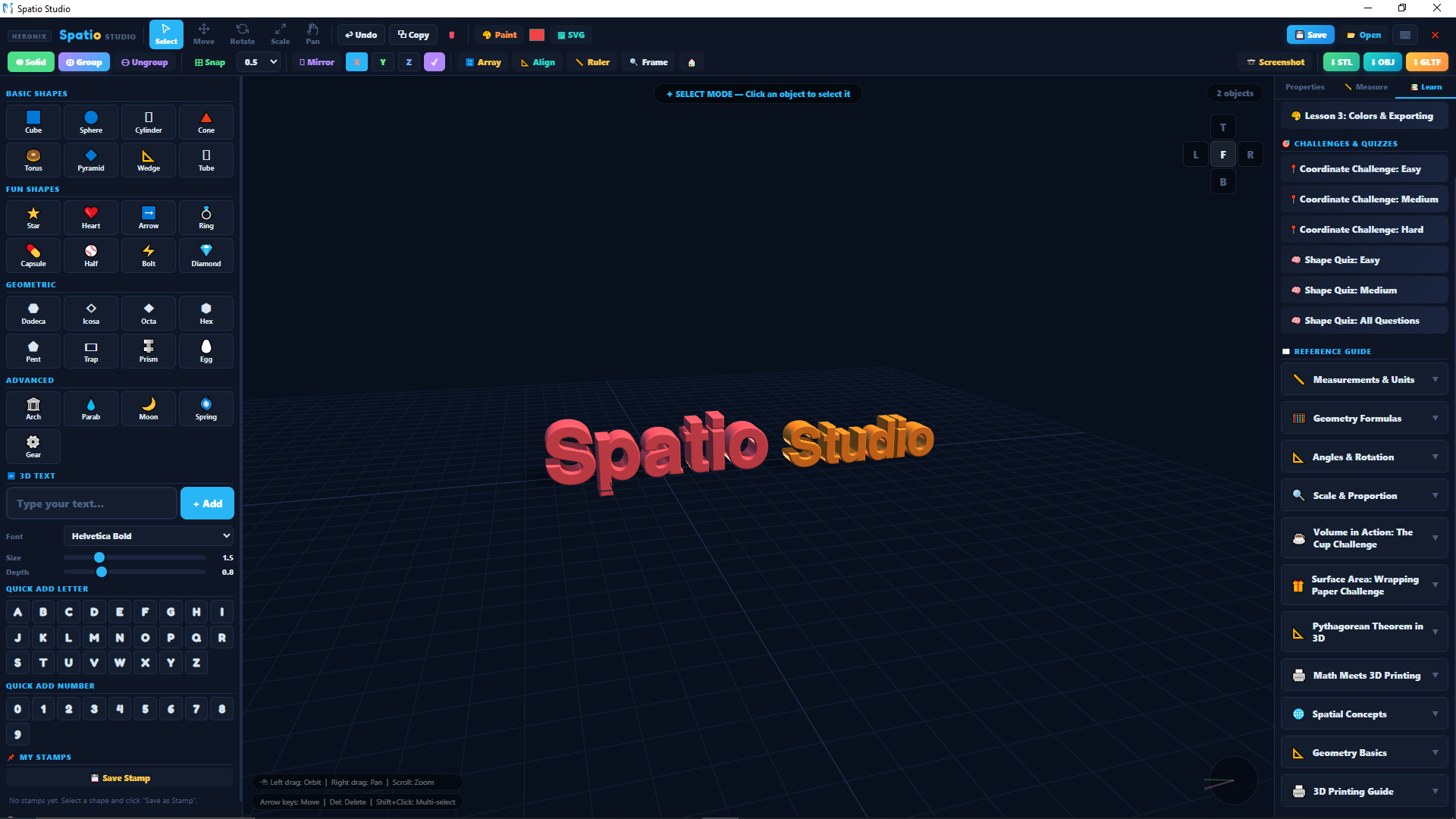
A 3D modeling tool built for classrooms
Spatio lets K-12 students build, view, and share 3D models on a school computer. Simple to start with, and there's depth for students who want it.
It runs locally. Any district, teacher, or student can download it, no license, no roster upload.
What Spatio is and isn't
Free to use
No cost for students, teachers, or districts. No premium tier. No "pro upgrade." The downloadable application is the product.
An account to download
A free account to download, nothing more. No student roster upload, no student accounts, and nothing about your students ever reaches Heronix.
No data collection
The installed application sends no usage data back to Heronix. No telemetry, no analytics pings, and it keeps no activity logs.
Spatio is standalone, separate from Heronix Suite and PassTrack. It is not an LMS and does not grade student work.
What teachers do with Spatio
Eight concrete classroom use cases grounded in what Spatio actually does.
Geometry made tangible
Students build shapes and watch the formulas update live. Volume, surface area, edge lengths, and angles recalculate as dimensions change. Measurements toggle between metric and imperial on the fly, so the same triangle can be worked in centimeters or inches without leaving the scene.
3D printing as the deliverable
Export to STL and a phone stand a student designed in class becomes an object on the printer bed. The lesson ends with a physical artifact students can hold, not a screenshot in a slide deck.
Coordinate system practice
Place a cube at (4, 2, -3). Rotate it 45° around the Y axis. Built-in coordinate challenges drill positive and negative octants and 3D transformations using the same coordinate system the application runs on internally.
Density, mass, and material science
Pick from 12 materials, PLA, ABS, aluminum, water, ice, wood, and more, and Spatio computes the mass of the object from its volume and the material's density. Drop a hollow sphere into the simulated water tank and find out whether it floats.
Boolean operations and constructive solid geometry
Subtract a cylinder from a box to cut a hole. Union two shapes to make a compound piece. Intersect two solids to keep only the overlap. Students build complex geometry from primitives and boolean operations, the way CAD engineers do.
Cross-sections and structural thinking
Slice through a shape to see its interior. Compare cross-sections of different solids at the same height. Students reason about hollow versus solid construction, and about how a 3D printer actually lays down material layer by layer.
Built-in lessons and challenges
Spatio ships with three guided lessons and a library of coordinate quizzes. Teachers assign them directly from inside the application, no separate LMS, no login flow, no third-party courseware to license.
Cross-curricular use
A chess piece for a literature unit. A planet model for a solar system lesson. A phone stand for an engineering design challenge. A geometric sculpture for art class. The same tool fits math, science, art, engineering, and literature with no configuration switch.
Built without distractions
No ads. No notifications. No upgrade prompts. No social feeds. No telemetry. Spatio opens, builds, saves, exports. That's the whole experience.
Built from simple primitives, the kind of shapes students work with in Spatio.
Download Heronix Spatio
v1.0, free download, ~202 MB. No telemetry, no cloud. Requires Java 17 or later.
Get Spatio (~202 MB) For teachers